
Studytrax Workbench
Nothing starts from scratch.
- Build on what you know.
- Move from idea to study.
- Analyze, write, and put results to work.
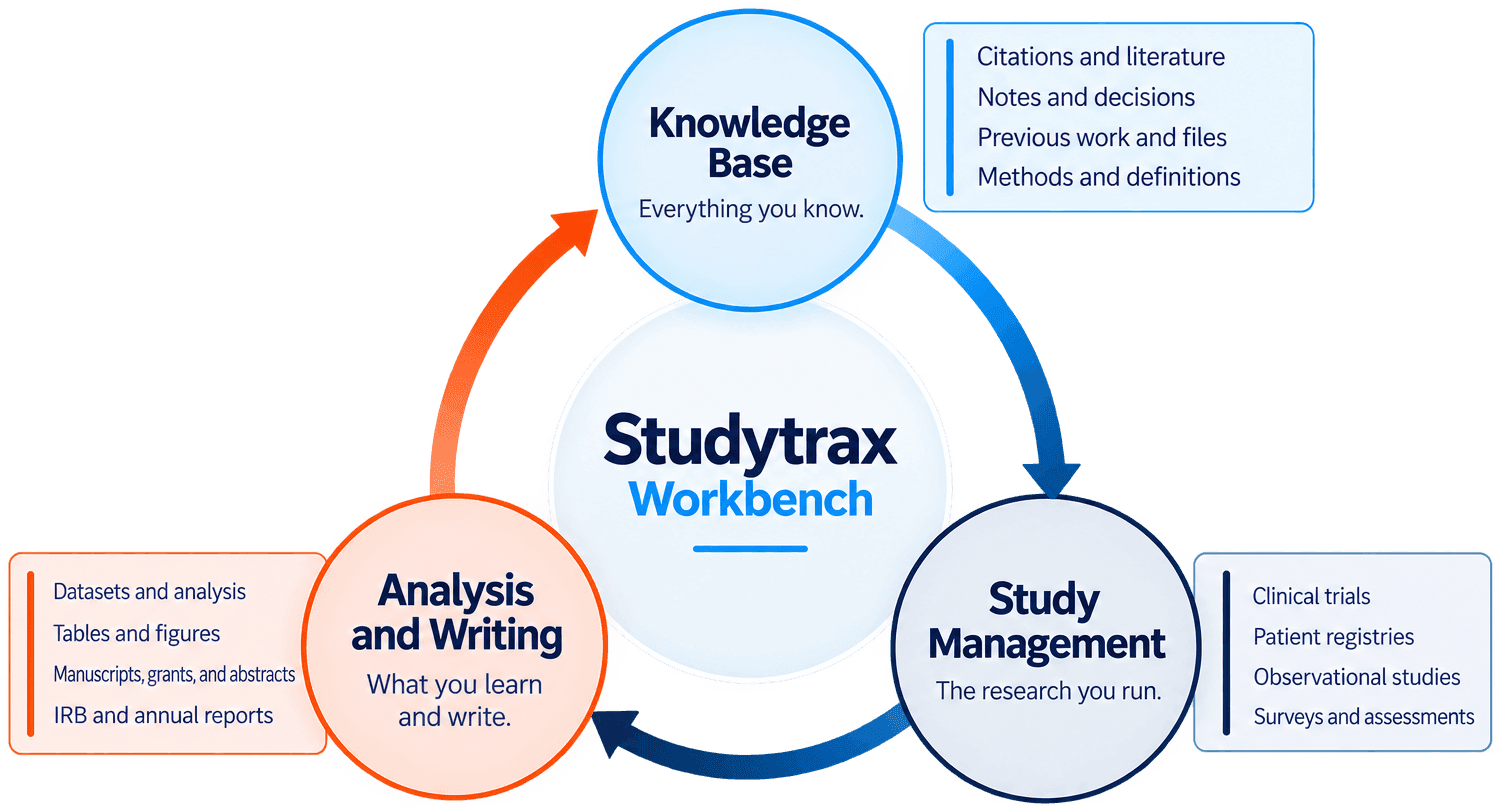
Your citations, notes, and prior work stay with you. Your studies run in the same place. Your analysis and writing draw on all of it, and what you produce becomes part of what you know for the next study.
Book a 5-minute fit check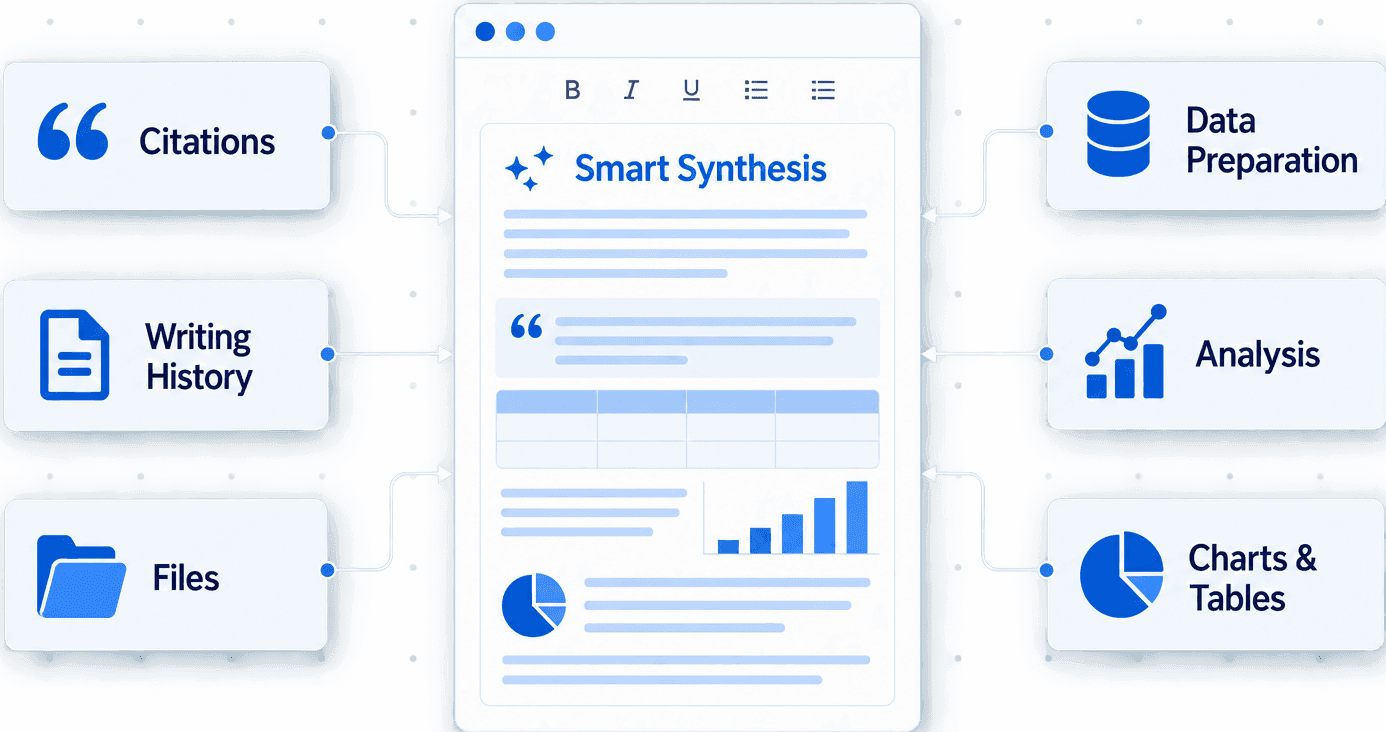
Round-trip research.
Workbench is integrated with Studytrax, carrying study data into analysis, scientific writing, reporting, and publication without breaking the connection to the research behind it.
Everything you know, where you work.
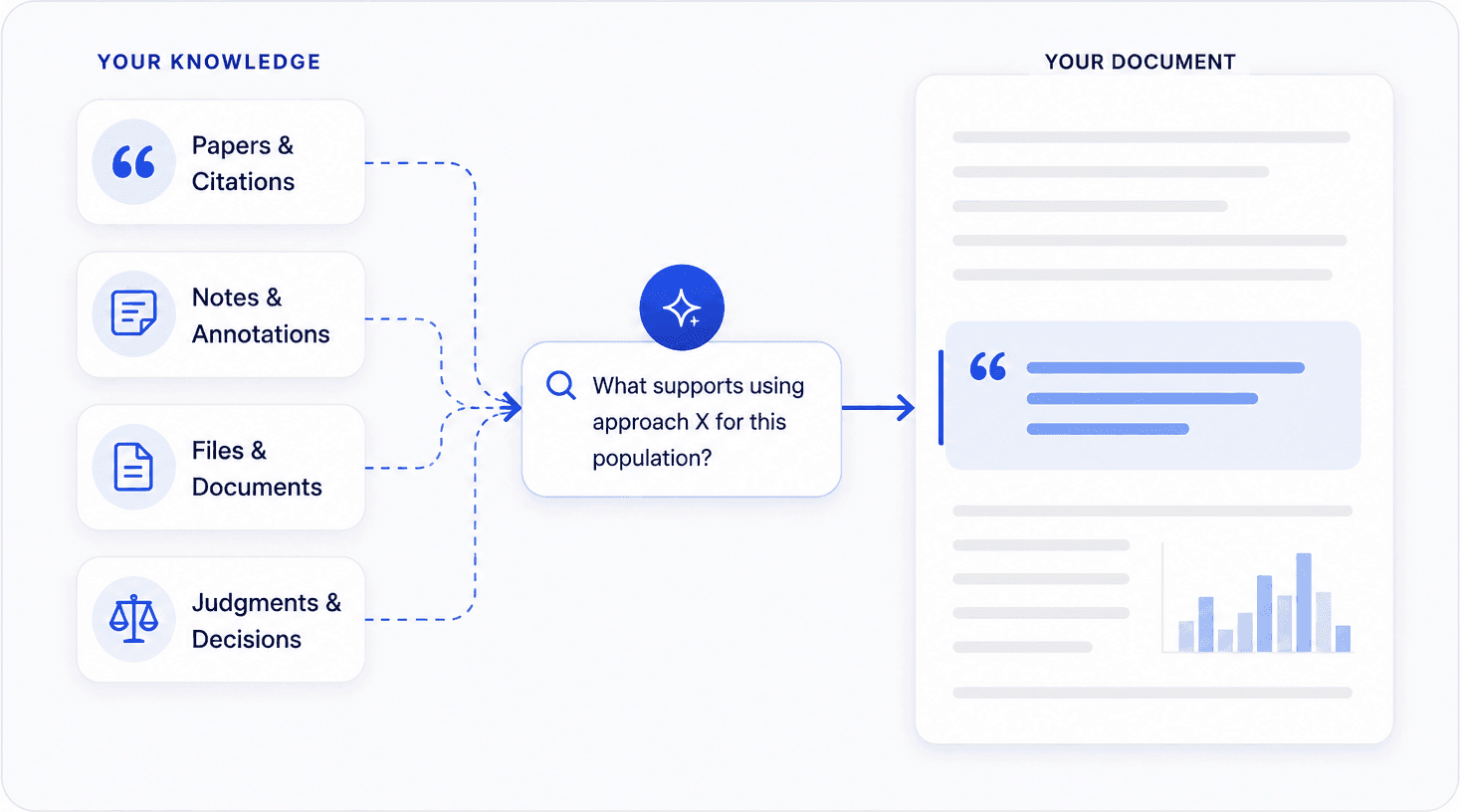
Your citations, notes, files, and prior judgments stay available while you work, along with the manuscripts, protocols, and grants you have already written. Ask questions across all of it and bring what matters into the document editor. The definitions and methods you used before are surfaced when they are relevant, rather than remembered.
The research you run.
Clinical trials, patient registries, observational studies, surveys and assessments run in Studytrax, and their data are available to Workbench directly. A protocol or grant written in Workbench can become the onboarding basis for a Studytrax study, set up without leaving the environment.
What you learn and write.
Build analysis-ready datasets by selecting the cases, forms, and variables you need. Filter your data, recode and transform variables, dummy-code categories, and create calculated fields. Explore distributions, identify outliers, and prepare the data for analysis.
Run parametric and non-parametric analyses and turn the results into publication-ready tables and figures. Because the analysis stays connected to the study data, updates don’t mean rebuilding the work from scratch.
Where the writing happens.
Scientific writing needs more than a word processor. Process research, not just words.
You write here. Manuscripts, grants, abstracts, protocols, and reports are drafted in Workbench, with your knowledge base, analyses, tables, figures, and citations available inside the document rather than in five other applications.
AI assistance draws on your actual materials, prior writing, and data to help you draft, structure, and revise, working from what you have rather than from nothing.
Everything carries forward.
The same round trip happens inside every project.
Duplicate an entire workspace, including datasets, transformations, tables, reports, formatting, and supporting files, and use it as the starting point for what comes next. Year 1 analysis becomes your Year 2 starting point. IRB reports roll forward. Proven outputs become reusable templates.
Each workspace holds the datasets, tables, analyses, files, and statistical outputs for manuscripts, abstracts, posters, grant reports, or IRB submissions. Publish each year of a study or registry without rebuilding everything.
What used to take weeks now takes minutes.
Workbench comes with Studytrax.
It is part of the platform, not a separate product to buy. Tell us what you are running and we will show you how it fits.
Book a 5-minute fit check